Study mode

Practice Exams

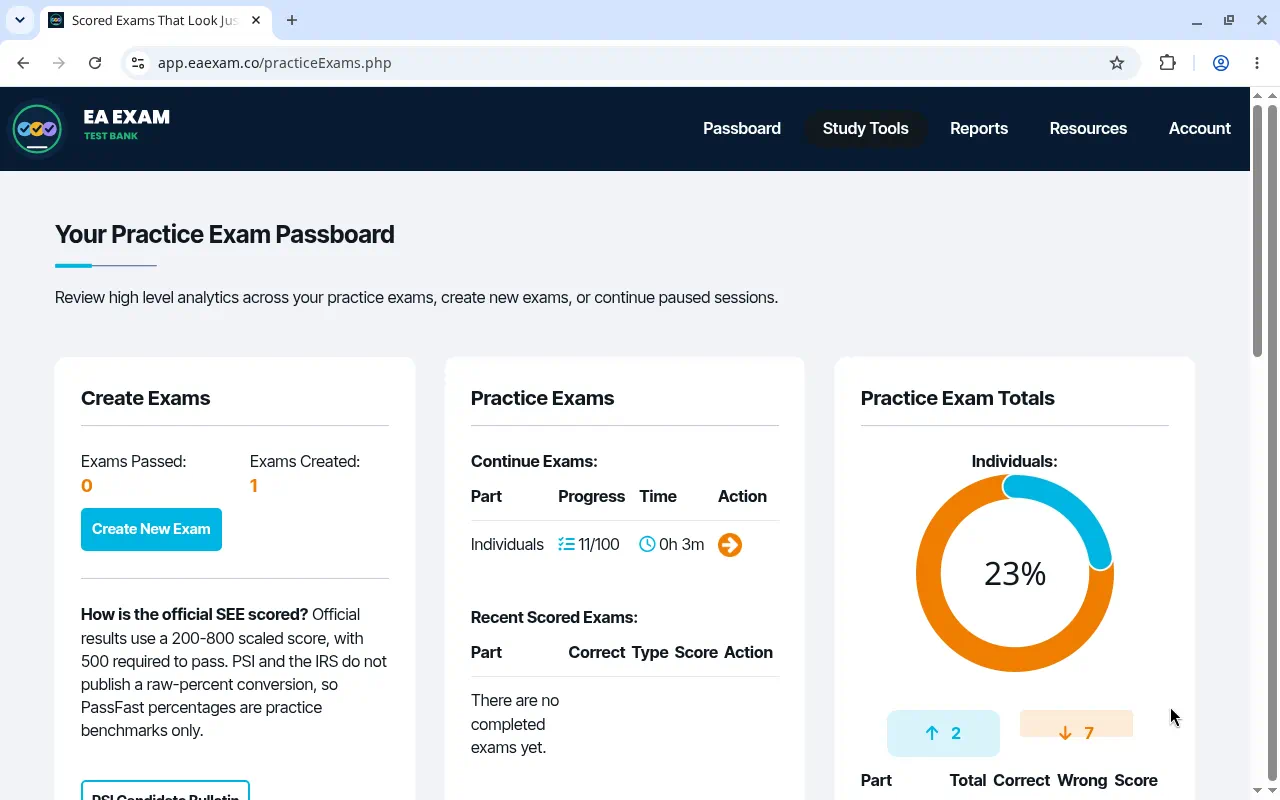
Practice Exams opens on your exam passboard. Create a new exam or continue one that is already listed.

What the screen shows

  1. Open Practice Exams.
  2. Choose Create New Exam, or continue the exam already listed.
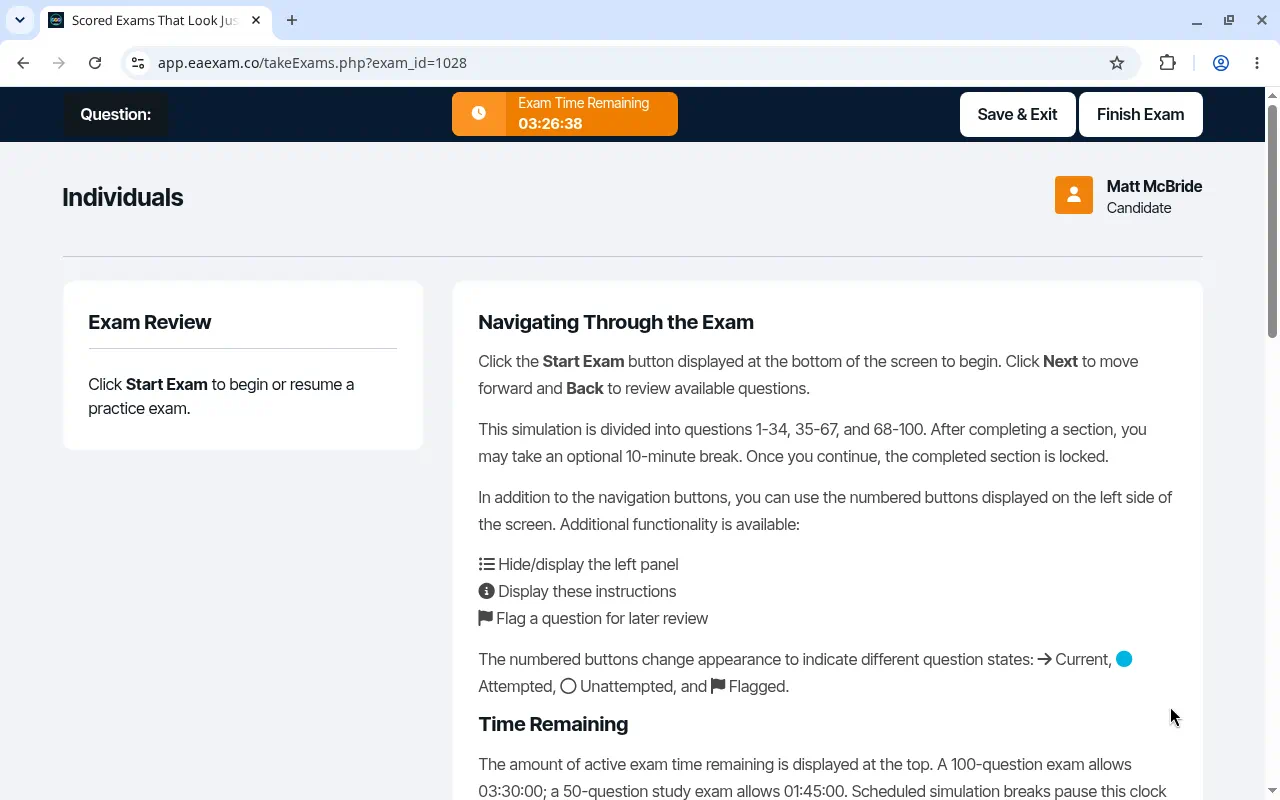
  3. On the resume screen, use Start Exam when you are ready. Save and Exit and Finish Exam are on that screen.
Open Practice Exams

Practice exam passboard with Create New Exam and an exam listed to continue.
The passboard lists Create New Exam and any exam you can continue.
Practice exam resume screen with Start Exam instructions, Save and Exit, and Finish Exam.
The resume screen tells you to start the exam. Save and Exit and Finish Exam stay at the top.

All captured study screens